#CS2#Sensitivity#DPI#E-Sport
Jun 7, 20264 min read

Best CS2 Sensitivity Settings: Find Your Perfect DPI and Aim Setup

Choosing the best CS2 sensitivity settings can have a huge impact on your aiming accuracy, reaction time, and overall performance. Whether you're a beginner trying to improve your mechanics or an experienced player looking for more consistency, finding the right CS2 mouse sensitivity is one of the most important settings adjustments you can make. Your sensitivity settings determine how quickly your crosshair moves across the screen, directly affecting your ability to flick, track opponents, and land headshots. In this guide, you'll learn how CS2 sensitivity, DPI, and eDPI work together, discover the settings used by professional players, and find out whether high or low sensitivity is best for your playstyle.

Best CS2 Sensitivity and DPI Settings

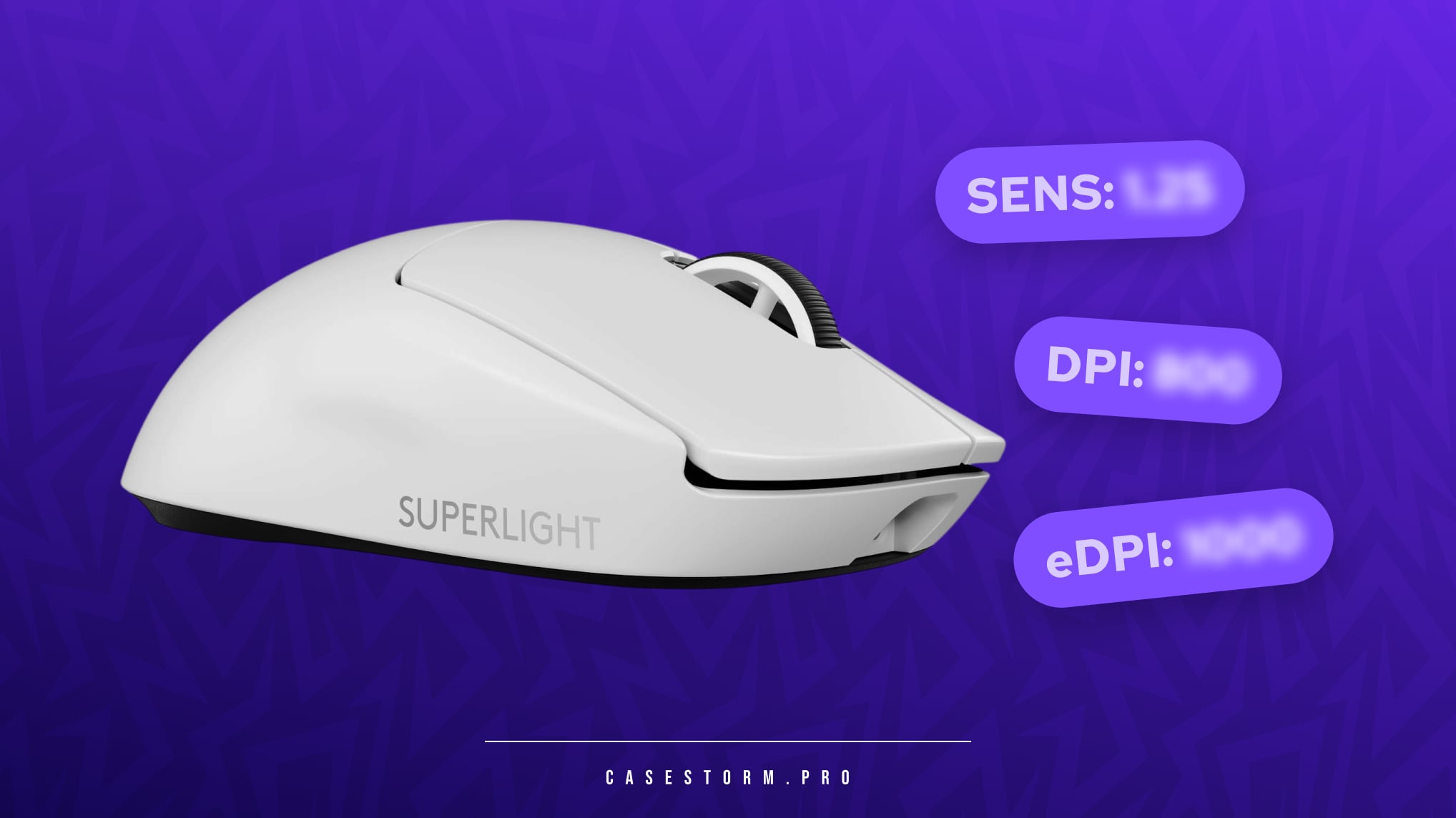
White Logitech G Pro X Superlight gaming mouse on a purple background with blurred CS2 settings indicators for Sens, DPI, and eDPI.

To find the best sensitivity for CS2, it's important to understand the relationship between DPI and in-game sensitivity.

DPI (Dots Per Inch) measures how sensitive your mouse is to physical movement. A higher DPI means your cursor moves further with less hand movement.

In-game sensitivity acts as a multiplier that determines how quickly your crosshair moves within CS2.

Together, these values create your eDPI (Effective DPI), which is calculated using the following formula:

𝙚𝘿𝙋𝙄 = 𝘿𝙋𝙄 × 𝙄𝙣-𝙂𝙖𝙢𝙚 𝙎𝙚𝙣𝙨𝙞𝙩𝙞𝙫𝙞𝙩𝙮

Example:

  • DPI: 800
  • Sensitivity: 1.5
  • eDPI: 1200

Your eDPI is one of the best indicators of how your mouse will feel in-game. Most professional players use an eDPI between 600 and 1400, which provides a balance between precision and speed.

Recommended CS2 DPI Settings

For most players, the following values are a great starting point:

  1. DPI: 400-800
  2. In-game sensitivity: 0.8-2.5
  3. eDPI: 600-1400

These settings offer reliable precision while maintaining enough speed for quick reactions and flick shots.

How DPI and Sensitivity Affect Your Playstyle

Different combinations of DPI and sensitivity can significantly change the way you play.

Higher DPI with Lower Sensitivity

Many professional players prefer this setup because it allows smoother tracking and more precise micro-adjustments.

Benefits:

  • Better aiming precision
  • Improved recoil control
  • Smoother crosshair movement

Lower DPI with Higher Sensitivity

This setup is often preferred by players who rely on fast reactions and aggressive gameplay.

Benefits:

  • Faster flick shots
  • Quicker turns
  • Better mobility in close-range fights

Finding the right balance between these settings is the key to creating the best CS2 sensitivity setup for your individual playstyle.

Best CS2 Sensitivity Settings Used by Pro Players
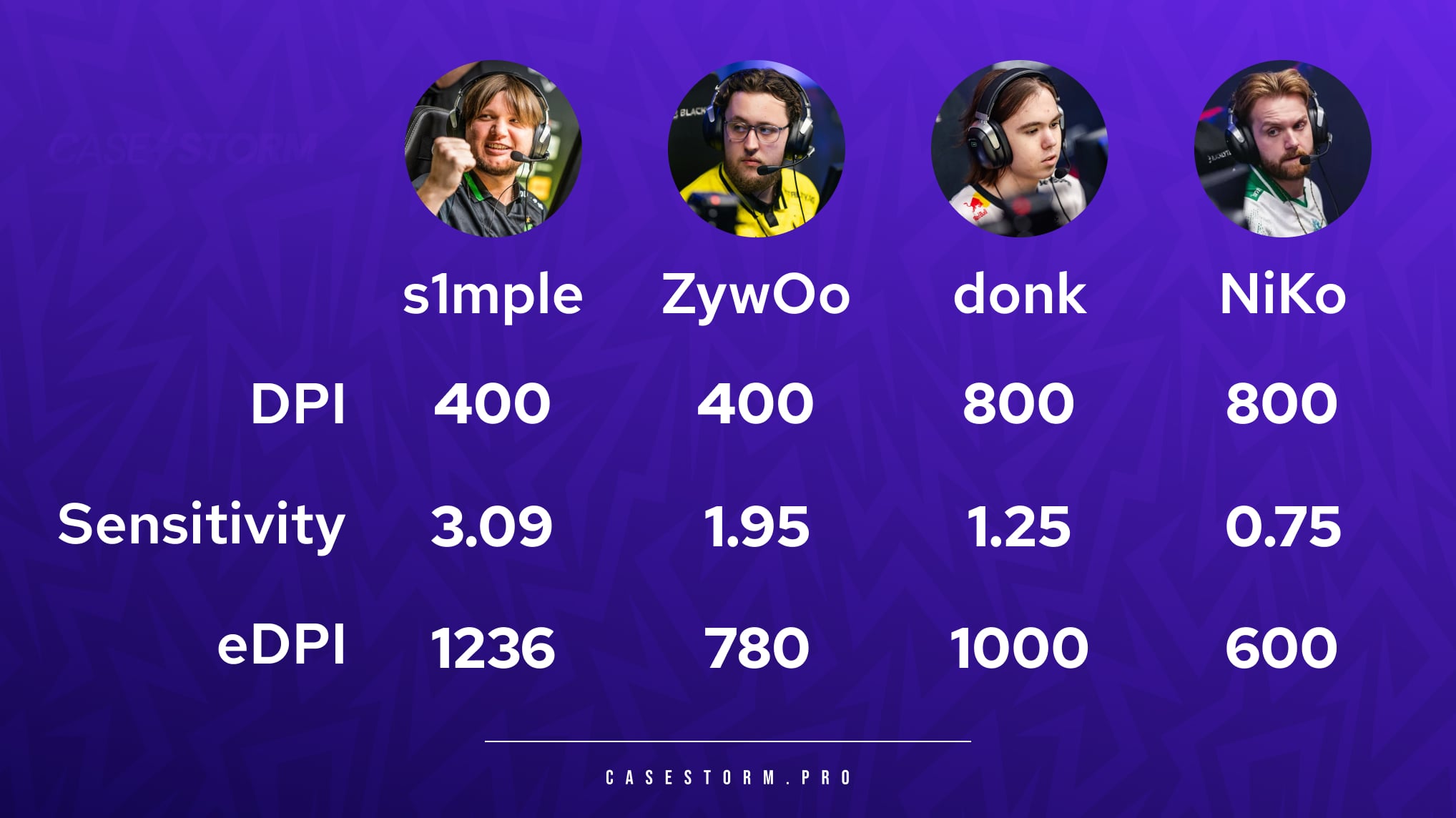
CS2 pro player sensitivity and DPI infographic by Casestorm featuring mouse settings, DPI, and eDPI for s1mple, ZywOo, donk, and NiKo.

One of the most common questions players ask is what sensitivity professional players use. While there is no universal answer, looking at pro settings can provide a useful starting point.

s1mple

  • DPI: 400
  • Sensitivity: 3.09
  • eDPI: 1236

ZywOo

  • DPI: 400
  • Sensitivity: 1.95
  • eDPI: 780

donk

  • DPI: 800
  • Sensitivity: 1.25
  • eDPI: 1000

NiKo

  • DPI: 800
  • Sensitivity: 0.75
  • eDPI: 600

These examples show that even the best players in the world use different settings. There is no single best CS2 sensitivity that works for everyone.

How to Find the Best Sensitivity for CS2

While pro player settings can provide inspiration, copying them directly may not produce the same results.
The ideal sensitivity depends on several factors:

Muscle Memory

Consistency is crucial. Once you find a sensitivity that feels comfortable, avoid changing it frequently. The more you practice with the same settings, the stronger your muscle memory becomes.

Playstyle

Your role and playstyle should influence your sensitivity choice.

Lower sensitivity is often preferred by:

  • AWP players
  • Passive riflers
  • Anchor players

Higher sensitivity is often preferred by:

  • Entry fraggers
  • Aggressive riflers
  • Players who rely on quick flicks

Comfort

Your settings should feel natural during long gaming sessions. If you experience wrist fatigue or discomfort, consider adjusting your sensitivity to create a more comfortable setup.

High vs Low Sensitivity in CS2

High Sensitivity
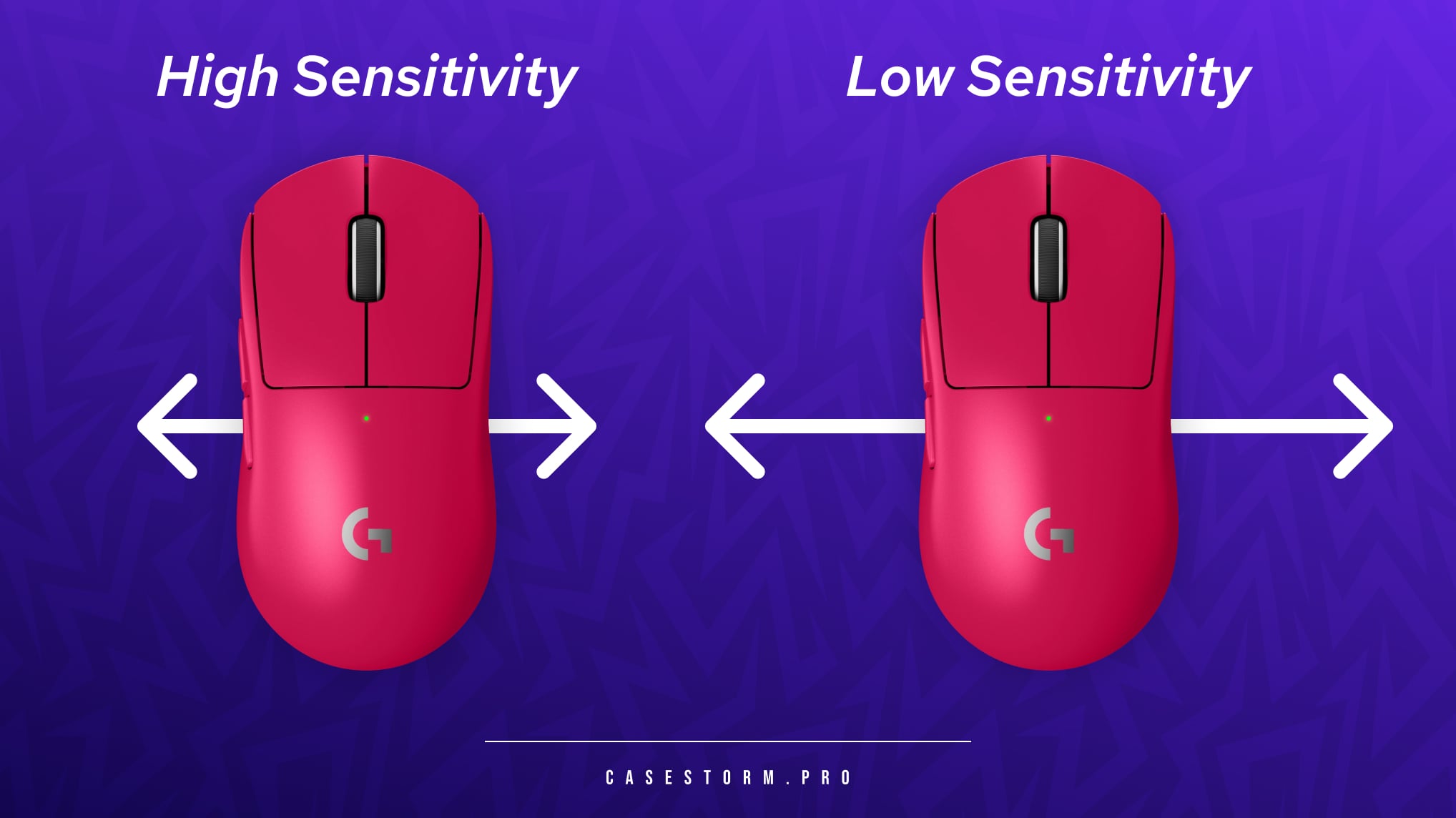
High vs low sensitivity comparison for CS2 featuring two pink Logitech gaming mice with arrows indicating short movements for high DPI and wide movements for low DPI.

Advantages:

  • Faster crosshair movement
  • Easier flick shots
  • Better for close-range engagements

Disadvantages:

  • Less precise aiming
  • More difficult recoil control
  • Higher risk of overshooting targets

Low Sensitivity

Advantages:

  • Greater precision
  • Better long-range accuracy
  • Easier tracking and spray control

Disadvantages:

  • Slower reactions when turning
  • Requires larger mouse movements
  • Benefits from a larger mousepad

Which CS2 Sensitivity Is Best?

There is no perfect sensitivity that works for every player. The best CS2 sensitivity settings depend on your preferences, equipment, and playstyle.

As a general rule:

  • Choose lower sensitivity if you prioritize accuracy and long-range precision.
  • Choose higher sensitivity if you prefer aggressive gameplay and fast reactions.
  • Stay consistent with your settings to develop strong muscle memory.

Many players find their ideal setup somewhere between 800 and 1400 eDPI, making it an excellent range to start experimenting with.

Final Thoughts on the Best CS2 Sensitivity Settings

Finding the best CS2 sensitivity settings takes time, experimentation, and practice. While professional player settings can provide a useful reference point, your own comfort and consistency should always come first.

Start with a reasonable DPI and sensitivity combination, stick with it for several days, and make small adjustments only when necessary. Once you find a setup that feels natural, you'll notice improvements in your aim, crosshair placement, and overall performance.

The best sensitivity for CS2 is ultimately the one that allows you to play confidently, comfortably, and consistently.


Author:
CASESTORM TEAM
Share

Comments

0

Similar Posts

See all
No similar posts yet.

Counter-Strike 2 Skins – How to Get Them and Why They Generate So Much Excitement?

The skin system in Counter-Strike 2 has become one of the most important elements of this iconic game. For many players, it's more than just a cosmetic addition – it's a way to express themselves, stand out on the server, and build their own collection. Skins can be obtained in various ways: by leveling up and earning experience points, trading on the Steam market, or opening cases. One of the most interesting places to get CS2 skins is CaseStorm.pro – a platform created with players in mind who want to expand their collection in a safe and attractive way. The service allows opening cases of varying value and content, and thanks to a special promotional code, new users can open their first Mil-Spec case completely free.

Cases and Their Contents – What Can You Get on CaseStorm.pro?

Each case in CS2 contains a random set of skins – from simple, commonly found models to exceptionally rare and valuable specimens. On CaseStorm.pro you'll find a wide selection of themed cases, inspired by both official game sets and unique, original compositions. The platform enables opening so-called Exp Cases, which are cases that reward active users – they are earned for reaching consecutive account levels. The case contents always remain a mystery until the moment of opening, which adds excitement to every click. All skins available in CaseStorm.pro's offer are carefully selected, and each user can check details about the potential case contents before opening. Won items can then be withdrawn for use in CS2 or exchanged for other skins in the platform's shop.

Skin Categories – Not Just Weapons

Skins in Counter-Strike 2 cover various equipment elements – from pistols, rifles and snipers, to knives and gloves. Each type of skin serves a visual function, giving weapons an individual character. Weapon skins – the most numerous group, covering everything from Glock to AWP. Knives – the most prestigious and collectible items that can reach enormous prices. Gloves – relatively new but very popular additions allowing players to match their agent's appearance to the rest of their equipment. Some combinations – e.g., gloves paired with an appropriate AK-47 or M4A4 skin – can create a unique, refined style that makes a player stand out on the server.

Most Popular Cases and Unique Collections

Among classic cases that attract players' attention, we can mention "Gamma Case", "Chroma Case", "Shadow Case" or "Dreams & Nightmares Case". From these you can get some of the most famous and desired skins, like AWP | Dragon Lore, AK-47 | Fire Serpent or M4A4 | Howl. There are also cases associated with special events, e.g., Operation Bravo or Operation Breakout, which appear for a limited time, and their contents gain exceptional value on the secondary market. Skins are divided according to rarity levels marked by colors – from gray to gold. The rarest, like Karambit | Fade, Butterfly Knife | Doppler or Tiger Tooth, reach astronomical prices on the market and are true trophies for collectors.

Map Collections and Stickers

CS2 also features special map collections, e.g., Mirage Collection or Dust 2 Collection, which introduce unique patterns inspired by specific locations. Such sets enjoy enormous popularity among players wanting to build a themed collection. Additionally, you can obtain stickers – cosmetic additions that can be placed on weapons. Some of them, like the legendary iBUYPOWER (Holo) | Katowice 2014 or Titan (Holo) | Katowice 2014, reach astronomical prices due to their rarity and historical significance.

Skin Value – Float, StatTrak™ and Souvenirs

A skin's value is influenced by its float value, i.e., wear level. A skin with a value of 0.01 looks brand new, while at 0.9 it's clearly worn. Additionally, some items are available in StatTrak™ version, which counts the number of kills made with that weapon. Souvenir skins also stand out – commemorative specimens from esports tournaments, often with player autographs or team logos. These rare items are true gems in CS fans' collections. Additional CaseStorm.pro Features CaseStorm.pro is not just about opening cases. The platform also offers: Creating custom cases – the player chooses skins themselves and sets the chances of drawing them. Case Battles – exciting duels of 2-4 players where the winner takes all winnings. Exchange contracts – a feature allowing you to combine several less valuable skins into one of a higher class. Each of these options provides new possibilities and allows players to become even more engaged in building their collection.

Summary

On CaseStorm.pro you'll find hundreds of CS and CS2 cases with diverse contents – from simple to exclusive sets with the rarest skins. Thanks to daily free cases, promotional codes and an extensive reward system, you can regularly obtain new skins without spending a fortune. The platform is fully secure, operates transparently and has technical support available to users 24/7. It's a place created for players who love the excitement of opening cases and want to expand their CS2 collection in the best possible way.